
Posts
Pattern one: the slow drift
Pattern two: the strategic exit
Pattern three: the disconnected stack
Questions worth asking right now
A different kind of stability
The consolidation wave
When "One Platform" isn't always one platform
And then there’s the people part
Who’s behind the curtain?
We built eShow for the long run
Conference planning has always meant juggling moving parts — abstracts coming in from one direction, speakers needing bios and headshots from another, room setups and AV orders from a third. For years, the standard approach was to patch it together: a submission portal here, a spreadsheet there, email threads holding the rest in place.
That patchwork still works, until it doesn’t. A speaker swap at 4 p.m. on a Friday, a reviewer asking which version of the rubric is current, a venue calling about a setup that changed two updates ago — these are the moments where disconnected tools show their cost.
Going into 2026, the conference management tools worth looking at aren’t the ones with the longest feature lists. They’re the ones that solve for how the work actually flows: submissions into scheduling, scheduling into logistics, logistics into the run-of-show. Here’s what to look for.
1. Abstract and Call for Papers Management That Handles the Whole Lifecycle
Abstract review is one of the most labor-intensive parts of conference planning, and it’s often the first place cracks show. Submissions come in through one system, reviewers score them in another, the program committee tracks status in a spreadsheet, and approved content gets re-entered into scheduling by hand.
Look for tools that keep the full process in one place: a submission portal for presenters, a separate portal for reviewers with open or blind review options, configurable cutoff dates, and standardized data collection so submissions can actually be compared side by side. The goal isn’t fewer emails for their own sake — it’s making sure the data you collect at submission is still usable six months later when you’re building the program.
2. Speaker and Session Management With Conflict Detection
Once abstracts are approved, the work shifts to building the program. That means tracking speakers, sessions, rooms, schedules, and materials at the same time — often hundreds of moving pieces for a mid-size conference.
The tools worth evaluating give speakers their own portal to submit bios, headshots, and session materials directly, rather than asking your team to chase and upload on their behalf. They flag room and schedule conflicts automatically. And they publish session and speaker schedules from the same data your team is managing, so Schedule-at-a-Glance and full program views stay accurate without a separate update step.
If your abstract management and session management tools share a database, approved content moves into scheduling without re-entry. If they don’t, that handoff is a manual step — worth asking about directly in a demo.
3. A Central Home for Meeting Logistics
Every conference has a layer of operational detail that lives outside the session schedule: room setups, food and beverage orders, AV requirements, signage, staffing, vendor coordination, and the function sheets that pull it all together for the venue.
Historically, this has lived in binders, shared drives, and whoever-has-the-latest-version email threads. The shift to look for in 2026 is tooling that treats this operational layer as first-class — not an afterthought bolted onto registration or session management. Room layouts, setup and teardown, food and beverage, signage, and staffing coordination all in one view, with the ability to generate function sheets, banquet event orders, and expense reports from the same source your team is working in.
4. Accommodating Late Registration Without Breaking the Program
Attendee behavior has shifted. Over 50% of registrations are coming in the final weeks leading up to the event. For conference planners, that’s a real operational problem: session capacities set months in advance, room assignments locked, printed materials ordered.
This isn’t strictly a conference management question — it’s where registration and conference management meet. But it’s worth evaluating your conference tools for how they handle late-arriving attendees: Can session capacities be adjusted in real time? Can room assignments be updated without breaking downstream schedules? Does the program view attendees see reflect changes made the day of? The planners who handle late registration well aren’t the ones with the most sophisticated prediction tools. They’re the ones whose systems can absorb a change without it cascading into five other places.
5. Support From People Who Know Live Events
This one isn’t a feature, but it belongs on the list. Conference software lives or dies on what happens when something goes sideways at 7 a.m. the morning of day one. The difference between a vendor whose support team has worked conferences and one whose support team hasn’t is the difference between a ten-minute fix and a three-hour scramble.
Ask for specifics in evaluation conversations: Who answers the phone onsite? What’s the escalation path? How many of the people you’d be working with have actually staffed events? The answers vary widely, and they matter more than the demo makes them seem.
How eShow’s Conference Management Software Fits
eShow’s Conference Management software covers the three modules above — abstract and call for papers management, speaker and session management, and meeting logistics. Each module is built to stand on its own as a best-in-class solution. When an organization uses more than one, they run on the same database, so data flows between them without re-entry.
If you’re evaluating conference management tools for 2026, we’d be glad to walk you through the modules that fit your event. Book a 20-minute demo.
You’ve probably been there: tracking down a speaker’s headshot the night before the event, or firing off last-minute emails about slide formats. A great lineup is only as good as the communication behind it.
Good speaker management takes more than a checklist. It’s staying organized without losing the small moments — a personal note, a thoughtful nudge — that make speakers feel welcome.
Key Highlights:
- Set clear expectations early with centralized deadlines and resources
- Personalize communication to build stronger speaker engagement
- Use a single speaker portal to cut down on last-minute scrambling
- Balance automation with a human touch to stay efficient and authentic
- Follow up post-event to strengthen long-term speaker relationships
1. Set Expectations Early
Imagine being a speaker juggling three upcoming events. You’re grateful when one organizer sends you a welcome packet that clearly spells out key dates, formats, and submission deadlines, so you don’t have to dig through scattered emails to find what you need.
That’s the experience to aim for. From the start, give speakers a clear roadmap. Tools like eShow’s Conference Management software give speakers one place to find deadlines and forms — no inbox searches, no missing attachments.
2. Personalize, Don’t Mass-Produce
Automated emails can still be personalized, and your speakers will notice. Mention their specific topic. Refer to how their session fits into the theme. Small touches like these set a collaborative tone and encourage prompt responses. They also lower the chances of missed details, because a speaker who feels like they’re being talked to directly reads more carefully than one who feels like they’re on a list.
Use tools to handle reminders automatically, but don’t skip the quick note that says “Looking forward to your session.” That’s what makes the connection real.
3. Keep Everything in One Place
Give speakers a portal where they can update their profile, upload materials, view deadlines, and track what’s outstanding. With eShow’s speaker and session management tools, everything’s in one spot, so nobody’s digging through their inbox at midnight for a missing bio.
It’s the difference between last-minute scrambling and walking into event day ready.
4. Be Mindful of the Speaker’s Experience
Your speakers are investing their time and expertise. The easier you make their part of the process, the more likely they’ll deliver a strong session — and want to work with you again.
A few small touchpoints that go a long way:
- A speaker checklist with descriptions, direct links to tasks, and deadline dates, with the option to check off each item as it’s done
- Optional tech checks or AV dry runs, especially for virtual or hybrid sessions
- Audience insights (expected size, industry focus) so speakers can tailor their content
These aren’t logistics for their own sake. They’re the signals that tell a speaker you’re thinking about their success, not just yours.
5. Automate, But Stay Human
Automation is part of speaker management at any reasonable scale. But it shouldn’t be the whole tone of your communication. A well-timed automated reminder keeps things moving; a string of them with no human voice in between starts to feel like paperwork.
eShow’s Conference Management software lets you:
- Send reminders for bios, headshots, or slides
- Share links to speaker portals
- Keep an audit trail of what’s been sent, with the ability to resend
The automation handles the “did they get it” question. Your voice handles the “do they feel respected” question. You need both.
6. Communicate Post-Event
It’s easy to let speaker communication taper off once the event ends. Worth resisting. A short follow-up can include:
- A thank-you
- Audience feedback or engagement stats
- A note on whether recordings will be distributed, and when
These are small gestures that make a real difference the next time you’re putting together a lineup and hoping someone says yes.
Why Speaker Communication Matters
Good speaker management isn’t just about being organized. It’s about helping someone step on stage feeling prepared and valued. When they do, the audience feels it, and so does the rest of your program.
From First Email to Follow-Up
When speakers feel supported, they show up ready. Clear expectations, a few personal touches, and tools that keep everything in one place go a long way toward making that the norm rather than the exception.
Want to take a closer look at how eShow supports speaker and session management? See how it fits into Conference Management.
You’re standing in your 2026 budget meeting, explaining how digital check-ins could cut those 30-minute lines at the entrance. A colleague interrupts: ‘What if people don’t want to use it?’ Another chimes in: ‘And how much is this going to cost us, really?’
You might have the slickest tech plan in hand, but if you don’t show you’ve really heard your team’s worries or explain it in terms that matter to them, it’s tough to get them on board. Let’s break down how to make your case for a 2026 event tech transformation and how eShow’s suite of solutions can help you deliver.
Start with the Why: Make It About People, Not Just Platforms
When you’re asking your team to try something new, rattling off tech features won’t win. What people want to hear is how it’ll make their lives easier, whether they’re managing the event or attending it. For example:
- Faster check-ins, fewer lines: No one loves waiting. A streamlined digital registration system (like eShow’s Registration Management) means attendees move from entrance to engaged in minutes.
- Personalized journeys: Imagine attendees getting real-time recommendations for sessions or exhibitors based on their interests, thanks to integrated data and agenda tools.
Less chaos for staff: Digital solutions reduce the stress of juggling spreadsheets, badges, and paper forms. - Smarter workflows, more impact: Streamlining processes means your team can do more with fewer resources. Digital tools help save time, reduce costs, and free up staff to focus on creating meaningful experiences and not just chasing paperwork.
When your colleagues see how these changes directly address common pain points, they’ll be more open to exploring solutions.
Bring Data, Not Just Ideas
You might be picturing interactive floor plans and instant surveys, but your CFO’s thinking: ‘Show me where this saves us time or makes money.’ That’s when data and real-world examples help your case.
And don’t forget internal metrics. If past events had check-in bottlenecks, data gaps, or poor post-event engagement, share that. Help stakeholders see that sticking to old methods comes with hidden costs.
Acknowledge Risks, Offer Solutions
Resistance often stems from fear: of cost overruns, tech failures, or a painful learning curve. Rather than dismiss these concerns, acknowledge them and show how you’ve thought them through. When you show in the room that you’ve anticipated the bumps, maybe even pulling up a plan B slide, that’s when heads start nodding. Consider covering solutions like:
- Cost efficiency: Digital platforms like eShow’s customizable solution cut down on the hassle of juggling five different vendors (registration, exhibits, mobile app, conference management) and bring it together in one place.
- Ease of adoption: Platforms that offer modular, integrated tools mean teams can phase in digital elements gradually.
- Support and training: Point out that partners like eShow provide training, technical support, and dedicated account managers to guide implementations.
- Extension of your team: eShow provides expert on-site support, training for temporary or volunteer staff, and top-tier customer service through our call center and data teams — helping with reconciliations, refunds, and attendee troubleshooting so your event runs smoothly and your team has time to focus on other aspects of the event.
Share a Vision of Integration, Not Just Tools
Imagine your marketing team watching leads flow directly into their CRM, or your event staff seeing real-time attendee counts on their dashboard without chasing down paper lists. It all clicks together into one seamless system.
For instance, describe a future event where:
- Registration data flows directly into lead retrieval tools, so exhibitors can follow up faster.
- A single dashboard shows real-time attendance, session engagement, and sponsor activations.
- Both in-person and virtual attendees feel part of the same experience, supported by hybrid tools.
eShow’s platform is built for this kind of end-to-end integration. No more chasing down spreadsheets or tracking badges by hand. The pieces just connect and your team breathes easier.
Build Allies Early
Getting organizational buy-in isn’t a solo act. Identify champions across departments who will benefit from the transformation. For example:
- Sales teams may love richer lead data from digital badge scans.
- Marketing teams can use session analytics to shape content strategy.
- Finance teams may appreciate cleaner reconciliation from integrated registration and payment systems.
Involve these stakeholders early, gather their input, and invite them to help shape the proposal. When marketing and sales both say ‘we need this,’ the room stops pushing back.
Pilot Before You Pitch Big
If leadership is wary of a full digital overhaul, suggest a pilot program. That first win could be using eShow’s Registration Management tool at a small expo to show how technology can help events run more efficiently. This not only builds confidence but it also gives you data to leverage when making a case for more tech investment. Suddenly, leadership’s not so wary of the bigger leap.
Frame Your 2026 Event Tech Transformation as an Ongoing Journey
Digital transformation isn’t a one-and-done task. Make clear that your vision is about continuous improvement, with each event building on the last. Highlight how solutions like eShow’s evolve with your needs whether that’s adding an event website, new gamification features, or advanced analytics.
That narrative shifts the conversation from “one big risk” to “a thoughtful, step-by-step strategy.”
It’s About More Than Tech
It’s not the event website or app they’ll remember. It’s that moment when an attendee says, ‘Wow, I didn’t expect that to go so smoothly,’ as they breeze past the check-in line. That’s what gets people on board.With tools that fit the way your team works, you can spend less time putting out fires in 2026 and more time creating moments that people talk about long after the doors close. From registration to conference management to mobile engagement, eShow’s modular event management solutions give your organization the confidence to take that next step with confidence.
Planning an event means balancing a hundred moving parts, including timing, logistics, budgets, and of course, the experience you’re delivering. However, there’s one thing that should never be overlooked, which is capturing and managing leads in the exhibit hall. The right lead retrieval tool can make a huge difference in ensuring your exhibitors see real results from their investment in your event.
As event planners, we understand how important it is to get this right. Here’s what you need to know before selecting a lead retrieval solution for your next event.
What Is Lead Retrieval?
Lead retrieval is a tool that helps exhibitors collect and manage contact information from people they meet at an event. Most commonly, this data is pulled through badge scanning or QR codes, which makes the process fast, accurate, and automated.
When you invest in a smart, user-friendly lead capture system, you enhance the exhibitor experience and increase the overall value of your event.
Why Lead Retrieval Matters for Your Event
As an event planner, you want to ensure your exhibitors walk away with value. Lead capture does more than capture contact information; it enables exhibitors to qualify leads, prioritize follow-ups, and ultimately increase ROI from the event.
Here’s why investing in the right solution matters:
1. Delivers Measurable ROI for Exhibitors
Exhibitors come to events to connect with potential buyers. The right solution helps them capture qualified, organized, and actionable leads, which means faster follow-ups and more conversions. When exhibitors see real results, they are more likely to return and invest more in future events.
2. Drives Exhibit Sales
A strong lead retrieval system makes your booth packages more attractive. When you can demonstrate that your event helps exhibitors meet the right contacts and close deals, it becomes easier to sell space and increase revenue.
3. Improves the Attendee Experience
Good lead capture solutions integrate seamlessly into your event ecosystem. Attendee information can be quickly and reliably scanned, interactions are smoother, and data is handled responsibly, creating a professional, streamlined experience.
4. Provides Strategic Data for Planners
Integrated lead retrieval software gives you visibility into traffic flow, engagement levels, and behavioral trends. These insights help you optimize future events, make smarter programming decisions, and demonstrate value to stakeholders.
5. Reduces Risk and Builds Trust
A reliable and compliant system ensures that data is accurate, secure, and privacy-conscious. This builds confidence among exhibitors and attendees that their information is handled with care and protects you as the event organizer by ensuring only verified and validated individuals interact with each other.
In short, the right lead retrieval system isn’t just a tech upgrade, it’s a growth engine for your event.
What to Look for in Lead Retrieval Solutions
Choosing the right system comes down to understanding your event’s needs and what you want to achieve. Here are the key features to look for:
- Ease of Use
The software should be intuitive, requiring minimal setup and training for your exhibitors. - Scalability
Whether you’re organizing a small trade show or a large conference, the system should scale to fit your event’s size. - Privacy and Compliance
Ensure the software complies with data protection standards. - Exhibitor and Onsite Support
Look for a provider that offers dedicated exhibitor support and experienced staff onsite. eShow delivers hands-on assistance before, during, and after the event to help exhibitors make the most of their lead capture tools. - Reliability
Choose a tool that’s proven to work under the pressure of live events. Ensure your lead retrieval system has a track record of being dependable.
Using Lead Retrieval to Maximize Your Event’s Value
Lead retrieval is more than just an operational necessity, it’s an investment in your event’s overall success and growth. High-quality lead capture tools can enhance exhibitor ROI, drive booth sales, and provide actionable insights, all while increasing your event’s value. Here’s how you can strategically integrate lead capture into your event’s broader goals:
- Boost Booth Sales
Offering a high-quality lead capture tool makes your exhibit packages more attractive. When exhibitors know they will walk away with qualified, actionable leads, they are more likely to reserve space and return year after year. - Gain Actionable Insights
When combined with session tracking, check-in processes, and mobile app engagement, lead retrieval provides a detailed understanding of attendee behavior. This enables you to refine your event layout, enhance content, and boost engagement, ensuring future events are even more impactful. - Enhance Post-Event Value
Giving exhibitors easy access to manage their own follow-up data helps them convert leads faster. When exhibitors succeed, your event gains a reputation for delivering results, making it easier to grow in the future.
If you are looking to improve the exhibitor experience and create a more engaging, data-driven event, eShow’s eConnect Lead Retrieval offers a comprehensive solution. With over 26 years of experience, eShow understands how to deliver seamless, reliable lead capture for events of all sizes.
Take a quick look at our webinar to discover how eConnect Lead Retrieval boosts exhibitor ROI and elevates your event:
Lead Capture That Works for You: Drive Exhibitor ROI and Increase Value
In this webinar, our lead retrieval expert, Lawrence Givens, Director of Onsite Solutions at eShow, demonstrates how eConnect Lead Retrieval simplifies lead capture, improves exhibitor engagement, and delivers measurable value across your events.
By integrating the right lead retrieval tool, you can turn every interaction on the show floor into an opportunity for growth and stronger exhibitor relationships. Explore how eConnect Lead Retrieval can support your next event’s success today.
Ready to learn more? Let us know how we can help you get started.
If there’s one thing we’ve learned in over two decades of planning events, from intimate association meetings to large-scale conferences, it’s this: growth doesn’t happen by chance. It happens through intentional design.
Whether you’re looking to expand attendance, drive higher attendee engagement, or increase revenue, event growth comes down to strategic choices that center your audience, streamline operations, and deliver value before, during, and after the event. Here are a few “secrets” successful planners don’t always say out loud… but absolutely rely on behind the scenes.
1. Don’t Just Know Your Audience. Anticipate Their Needs.
Too many events are planned for people rather than with them. Always start with insights: surveys, behavior data from last year’s event, social media feedback, and even informal calls with longtime participants. The more you understand their goals, the more targeted (and successful) your programming and event marketing become.
Pro Tip: Use registration data and session attendance to personalize the event marketing for next year. Segment communications on interests or professional levels to improve response.
2. Automate Administrative Tasks to Elevate the Experience
Success stalls when planners are overwhelmed by logistics. Use event technology to manage badge printing, check-in, session tracking, and lead capture. This gives you more time to focus on strategy, programming, and engagement, which are the true drivers of growth.
Bonus: A smoother process improves perception. Quick check-in and easy badge pickup leave a strong first impression and set a positive tone for the rest of the event.
3. Focus on Engagement, Not Just Attendance
You can grow your numbers, but if people are zoning out or skipping sessions, the event is not reaching its full potential. Create interactive moments and build touchpoints that invite interaction—think guided networking, live polls, speaker Q&A sessions, and casual areas for spontaneous conversations.
And yes, mobile apps help. But they need to do more than list agendas—they should drive action and connection, enhancing attendee engagement and overall event success.
4. Revenue Grows When Relevance Is Clear
Sponsors and exhibitors don’t come back unless they see ROI. Work closely with your sales team to strengthen your value proposition. Highlight the quality of leads, opportunities for exposure, and measurable post-event impact. When exhibitor goals align with attendee interests, growth naturally follows.
Pro Tip: Provide matchmaking tools and post-event analytics that demonstrate long-term value beyond booth traffic.
5. Keep Improving, Even If It’s Working
One of the most dangerous things we hear from other planners is, “We’ve always done it this way.” Growth demands evolution. Do a full debrief with your team and vendors after every event. What worked? What felt clunky? What do attendees want more of?
If you’re not changing, you’re falling behind.
Pro Tip: Feedback is critical for continuous improvement in your event strategy, and it keeps your events innovative and relevant.
Final Thoughts: Growth Isn’t Just Bigger. It’s Better.
A “bigger” event doesn’t automatically mean a better one. True growth shows up in attendee satisfaction, sponsor retention, and your own bandwidth as a planner. When your systems are solid, your content resonates, and your team has time to think creatively — that’s when events take off.
And trust us: the smartest growth event strategy is the one that leaves you with more time to innovate and less time scrambling behind the scenes.
By incorporating these event planning strategies and focusing on attendee engagement, event marketing, and leveraging event technology, your events will thrive, attracting more attendees, sponsors, and long-term success.
At eShow, we specialize in providing event management solutions that streamline logistics, enhance attendee engagement, and deliver measurable results. Our comprehensive platform helps planners manage everything from registration to post-event analysis with ease, ensuring your events run smoothly and exceed expectations.
Connect with us today to learn how we can help you elevate your next event to drive long-term, impactful, and sustainable growth.
For many event planners, the traditional method of badge management involves pre-printing badges and organizing them alphabetically for distribution. This approach, while seemingly straightforward, often results in a plethora of logistical challenges. The sheer volume of attendees can make managing these badges cumbersome and prone to errors, which can detract from the overall event experience.
Inefficiencies and Delays
Pre-printing badges inherently comes with the risk of inaccuracies, such as incorrect names or affiliations. This necessitates additional resources to make corrections, often at the last minute. Furthermore, pre-printed badges require organizers to manually sort and stuff them into holders—a time-consuming task that can extend well into the night before the event. These inefficiencies not only increase operational costs but also strain staff resources, leading to fatigue and reduced productivity.
- Errors and last-minute changes often create unnecessary stress.
- The process leaves little room for personalization, missing an opportunity to enhance the attendee experience.
Cumbersome Check-In Processes
The reliance on pre-printed badges can lead to long check-in lines as attendees wait for staff to locate their badge among hundreds or even thousands. This not only delays entry but also sets a negative tone for the event, potentially affecting attendee satisfaction and engagement from the outset.
- Long wait times can lead to frustration, diminishing excitement.
The initial check-in interaction is a critical touchpoint that impacts the event’s image.
The Power of On-Demand Badge Printing
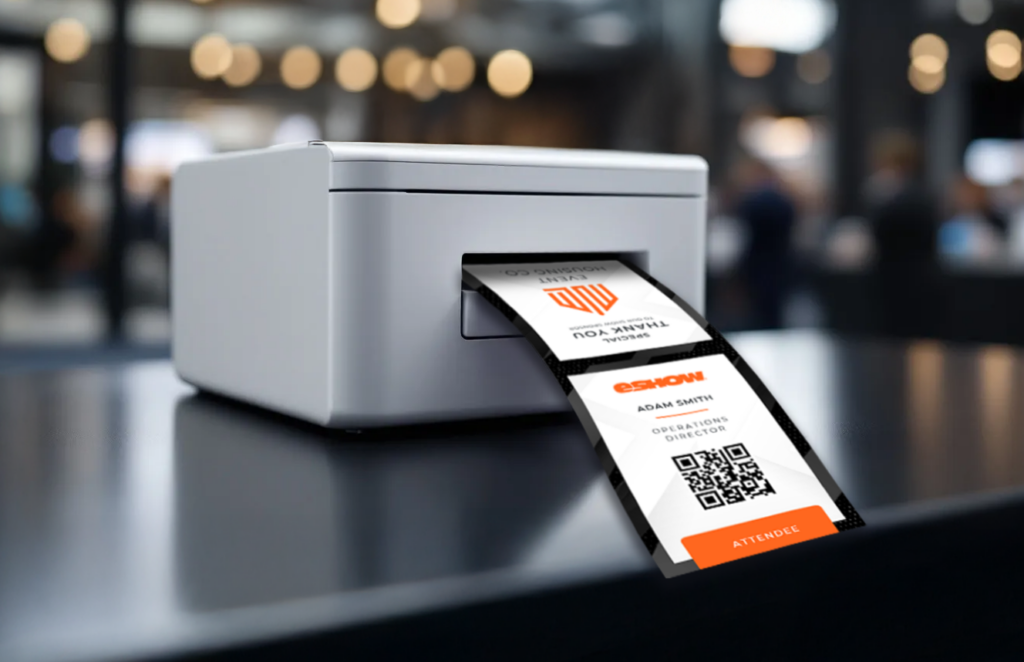
On-demand badge printing offers a dynamic solution to these challenges, providing a seamless and efficient alternative that benefits both organizers and attendees. This technology transforms the check-in process, creating a more fluid and positive experience for everyone involved.
Real-Time Personalization
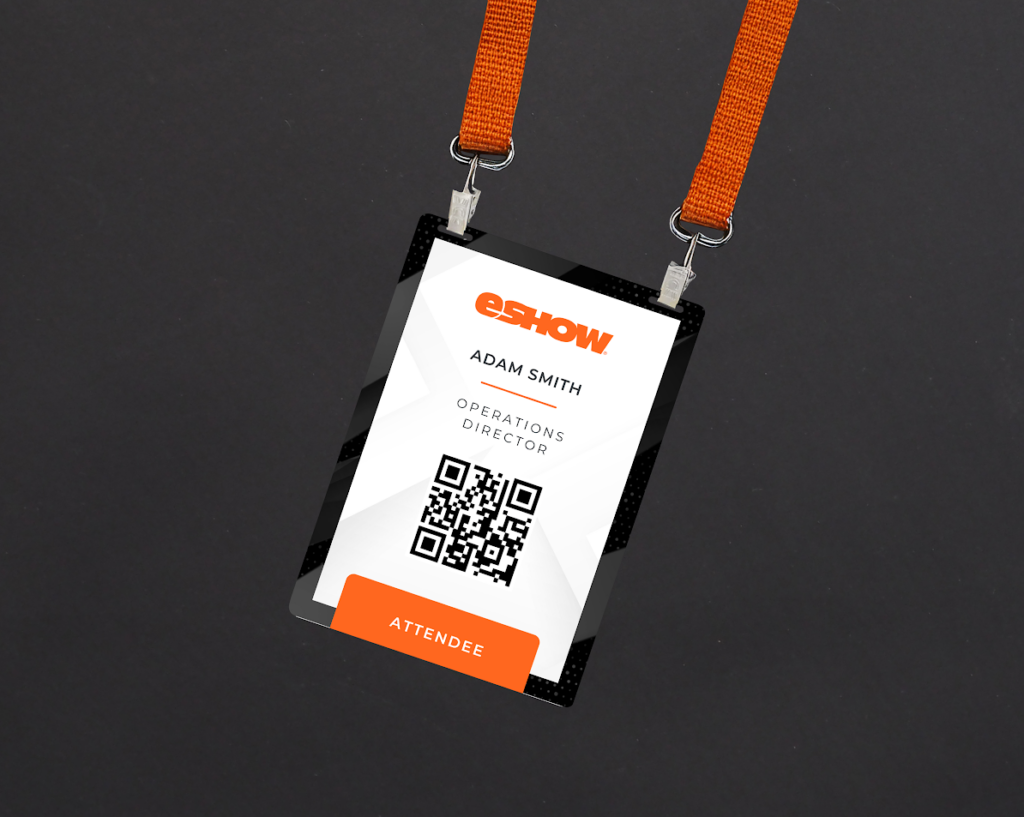
With on-demand badge printing, badges are created at the point of check-in, allowing for real-time personalization. This ensures that each badge is accurate and up-to-date, reflecting any last-minute changes in attendee information. This level of customization enhances the attendee experience by ensuring that each participant receives a badge that accurately represents their identity and affiliation.
- Real-time personalization enhances networking and interaction.
- The ability to include QR codes or RFID tags integrates seamlessly with other event technologies.
Streamlined Check-In Experience
By eliminating the need to sort through pre-printed badges, on-demand printing drastically reduces check-in times. Attendees can simply provide their registration information, and their badge is printed instantly. This rapid process minimizes wait times and allows attendees to enter the event promptly, improving overall satisfaction and engagement from the start.
- Staff can engage with attendees more personally, improving customer service.
- A streamlined process creates a positive atmosphere from the outset.
Resource-Efficient
On-demand printing reduces waste by minimizing the number of unused pre-printed badges. It also decreases the need for additional staff to manage badge distribution, allowing event planners to allocate resources more effectively.
- Sustainability: Reduces environmental impact through minimized waste.
- Cost-efficient: Focus resources on critical aspects of event management.
Implementing On-Demand Badge Printing
For event planners looking to implement on-demand badge printing, understanding the necessary tools and technologies is crucial. Successful integration of this system requires careful planning and consideration of various factors.
Choosing the Right Technology
Selecting the right badge printing software and hardware is essential for smooth implementation. Ensure the solution integrates seamlessly with your registration systems and provides user-friendly interfaces for both staff and attendees.
- Look for cloud-based solutions and mobile compatibility.
- Choose systems that support scalability and include security features for data protection.
Training and Setup
Proper training for staff is vital for the efficient operation of on-demand printing systems. Staff should be familiar with the software, troubleshoot common issues, and understand the check-in flow.
- Conduct mock check-in sessions to ensure efficiency.
Train staff on customer service skills to enhance attendee interaction.
Real-World Success
Corporate Events
On-demand badge printing has greatly streamlined large-scale corporate events. Attendees appreciate the quick, accurate badge printing and the personalized experience. This flexibility is crucial in maintaining a professional image and ensuring success.
Non-Profit Fundraisers
For non-profits, on-demand badge printing has been a game-changer. It reduces check-in times and creates a more welcoming atmosphere for donors, improving engagement and long-term support.
Conclusion
On-demand badge printing is a transformative solution for event planners seeking to enhance efficiency and attendee experience. By reducing long check-in lines and eliminating the need for late-night badge stuffing, this technology allows organizers to focus on what truly matters—delivering an exceptional event experience.
Ready to revolutionize your event check-in process?
Explore eShow’s on-demand badging solutions, designed to enhance efficiency, personalization, and sustainability. Our experts are here to help you implement the perfect badging solution for your next event. Connect with an eShow expert today to streamline your event management and leave a lasting impression on your attendees.