
Posts

Conference planning has always meant juggling moving parts — abstracts coming in from one direction, speakers needing bios and headshots from another, room setups and AV orders from a third. For years, the standard approach was to patch it together: a submission portal here, a spreadsheet there, email threads holding the rest in place.

That patchwork still works, until it doesn’t. A speaker swap at 4 p.m. on a Friday, a reviewer asking which version of the rubric is current, a venue calling about a setup that changed two updates ago — these are the moments where disconnected tools show their cost.

Going into 2026, the conference management tools worth looking at aren’t the ones with the longest feature lists. They’re the ones that solve for how the work actually flows: submissions into scheduling, scheduling into logistics, logistics into the run-of-show. Here’s what to look for.

1. Abstract and Call for Papers Management That Handles the Whole Lifecycle

Abstract review is one of the most labor-intensive parts of conference planning, and it’s often the first place cracks show. Submissions come in through one system, reviewers score them in another, the program committee tracks status in a spreadsheet, and approved content gets re-entered into scheduling by hand.

Look for tools that keep the full process in one place: a submission portal for presenters, a separate portal for reviewers with open or blind review options, configurable cutoff dates, and standardized data collection so submissions can actually be compared side by side. The goal isn’t fewer emails for their own sake — it’s making sure the data you collect at submission is still usable six months later when you’re building the program.

2. Speaker and Session Management With Conflict Detection

Once abstracts are approved, the work shifts to building the program. That means tracking speakers, sessions, rooms, schedules, and materials at the same time — often hundreds of moving pieces for a mid-size conference.

The tools worth evaluating give speakers their own portal to submit bios, headshots, and session materials directly, rather than asking your team to chase and upload on their behalf. They flag room and schedule conflicts automatically. And they publish session and speaker schedules from the same data your team is managing, so Schedule-at-a-Glance and full program views stay accurate without a separate update step.

If your abstract management and session management tools share a database, approved content moves into scheduling without re-entry. If they don’t, that handoff is a manual step — worth asking about directly in a demo.

3. A Central Home for Meeting Logistics

Every conference has a layer of operational detail that lives outside the session schedule: room setups, food and beverage orders, AV requirements, signage, staffing, vendor coordination, and the function sheets that pull it all together for the venue.

Historically, this has lived in binders, shared drives, and whoever-has-the-latest-version email threads. The shift to look for in 2026 is tooling that treats this operational layer as first-class — not an afterthought bolted onto registration or session management. Room layouts, setup and teardown, food and beverage, signage, and staffing coordination all in one view, with the ability to generate function sheets, banquet event orders, and expense reports from the same source your team is working in.

4. Accommodating Late Registration Without Breaking the Program

Attendee behavior has shifted. Over 50% of registrations are coming in the final weeks leading up to the event. For conference planners, that’s a real operational problem: session capacities set months in advance, room assignments locked, printed materials ordered.

This isn’t strictly a conference management question — it’s where registration and conference management meet. But it’s worth evaluating your conference tools for how they handle late-arriving attendees: Can session capacities be adjusted in real time? Can room assignments be updated without breaking downstream schedules? Does the program view attendees see reflect changes made the day of? The planners who handle late registration well aren’t the ones with the most sophisticated prediction tools. They’re the ones whose systems can absorb a change without it cascading into five other places.

5. Support From People Who Know Live Events

This one isn’t a feature, but it belongs on the list. Conference software lives or dies on what happens when something goes sideways at 7 a.m. the morning of day one. The difference between a vendor whose support team has worked conferences and one whose support team hasn’t is the difference between a ten-minute fix and a three-hour scramble.

Ask for specifics in evaluation conversations: Who answers the phone onsite? What’s the escalation path? How many of the people you’d be working with have actually staffed events? The answers vary widely, and they matter more than the demo makes them seem.

How eShow’s Conference Management Software Fits

eShow’s Conference Management software covers the three modules above — abstract and call for papers management, speaker and session management, and meeting logistics. Each module is built to stand on its own as a best-in-class solution. When an organization uses more than one, they run on the same database, so data flows between them without re-entry.

If you’re evaluating conference management tools for 2026, we’d be glad to walk you through the modules that fit your event. Book a 20-minute demo.
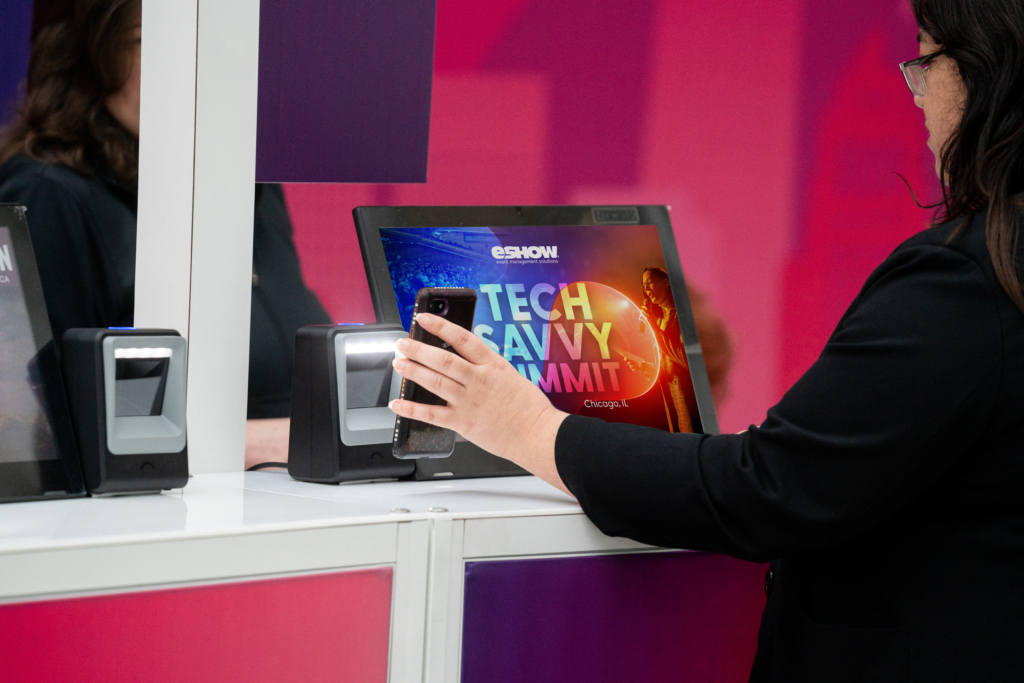

Streamlining event registration and check-in processes is essential for a smooth and successful event.

Efficient registration and check-in processes significantly improve the attendee experience and establish the tone for the entire event. They also reduce staff workload and help maintain data accuracy.

Importance of Streamlined Registration and Event Check-In

Effective registration and check-in processes are vital for several reasons:

  • First Impressions: The registration process is often the first contact attendees have with your event. A smooth experience sets a positive tone.
  • Data Accuracy: Accurate registration data is crucial for event planning, marketing, and post-event analysis.
  • Time Efficiency: Streamlined processes save time for attendees by reducing wait time and event staff by improving the event planning process.

Top 3 Best Practices for Event Registration

  1. Simplify the Registration Process: A complicated registration process can deter potential attendees. To make it easier, require only essential information and offer multiple registration options. Utilizing eShow’s Registration Management System allows you to create user-friendly forms that gather necessary data without overwhelming registrants.
  2. Automate Emails: Providing immediate confirmation emails to attendees is crucial. Automated confirmation emails reassure attendees that their registration is complete and should include event details, payment confirmation, and any necessary instructions. eShow’s platform can automatically send customizable eBlasts and detailed confirmation emails. This helps to reduce the workload for event staff. It also ensures timely communication, which improves attendee satisfaction.
  3. Utilize Smart Technology Solutions: Transitioning from traditional check-in methods to modern technologies will significantly enhance the attendee experience. Innovative solutions like digital registration kiosks, print-on-demand badges, QR code scanning, and mobile app systems dramatically reduce wait times — while providing an effortless process that elevates the entire event for your attendees.

Enhance Engagement and Support

Incorporating these best practices not only streamlines registration and check-in but also enhances attendee engagement. Tools like eShow’s mobile app can facilitate real-time updates, notifying attendees of session changes or important information.

By leveraging these three best practices and eShow’s advanced event technology, you’ll offer a smooth, efficient experience that keeps attendees excited to return year after year.

Ready for a Game-Changer? Don’t Miss This Exclusive Webinar
Watch eShow’s highly attended webinar where experts share actionable strategies to streamline your event registration and boost attendee satisfaction. Make sure you catch the Q&A session, packed with exclusive insights and answers to real-world challenges faced by event planners.

Take the Next Steps to Make Your Event Planning Easier
eShow is your ultimate partner for saving time, reducing complexity, and ensuring event success. 

Streamlining event registration and check-in processes is crucial for ensuring a smooth and successful event. Efficient registration and check-in not only enhance the attendee experience but also reduce administrative burdens and improve data accuracy. This blog post will highlight the best practices for event registration and check-in, emphasizing the benefits of eShow’s Registration Management System.

The Importance of Streamlined Registration and Check-In

Effective registration and check-in processes are vital for several reasons:

  1. First Impressions: The registration process is often the first point of contact attendees have with your event. A smooth, hassle-free experience sets a positive tone.
  2. Data Accuracy: Accurate registration data is essential for event planning, marketing, and post-event analysis.
  3. Time Efficiency: Streamlined processes save time for both attendees and event staff, reducing wait times and administrative tasks.
  4. Security: Efficient check-in processes help ensure that only registered attendees gain access to the event, enhancing security.

Best Practices for Event Registration

1. Simplify the Registration Process

A complicated registration process can deter potential attendees. Simplify the process by requiring only essential information and offering multiple registration options.

Example: Use eShow’s Registration Management System to create user-friendly registration forms that collect necessary data without overwhelming the registrant.

2. Automate Confirmation Emails

Automated confirmation emails provide attendees with immediate reassurance that their registration is complete. These emails should include event details, payment confirmation, and any necessary instructions.

Example: eShow’s platform can automatically send customized confirmation emails, reducing the workload on event staff and ensuring timely communication.

3. Registration Paths Based on Attendee Type

Create customized registration paths based on attendee types such as speakers, exhibitors, and general attendees. This personalization helps gather relevant information and improves the registration experience.

Example: Use eShow’s system to set up different registration workflows for various attendee types, ensuring that each group provides the necessary details pertinent to their role at the event.

Best Practices for Event Check-In

1. Use Digital Check-In Solutions

Digital check-in solutions, such as mobile apps and QR code scanning, streamline the check-in process and reduce wait times.

Example: eShow’s Mobile Event App enables digital check-in through QR code scanning, providing a fast and efficient entry process for attendees.

2. Implement Onsite Check-In Kiosks

Self-service kiosks allow attendees to check themselves in, freeing up staff to handle other tasks and reducing congestion at the check-in area.

Example: Set up eShow’s check-in kiosks to provide attendees with a quick and easy way to check in upon arrival.

3. Provide Real-Time Updates

Keeping attendees informed of any changes or updates in real-time enhances their experience and reduces confusion.

Example: Use eShow’s mobile app to send real-time notifications about session changes, speaker updates, or other important information.

4. Prepare for Onsite Registration and Badge Printing

Allow for onsite registration to accommodate last-minute attendees. Ensure that the process is as streamlined as possible to avoid long lines and delays. Effective onsite registration can significantly enhance the attendee experience, especially for those who register last minute or have changes to their registration details.

Example: eShow’s Registration Management System not only supports onsite registration but also goes a step further by providing dedicated onsite staff to assist with the registration process. This means that event organizers can rely on experienced professionals to handle last-minute issues, and ensure a smooth flow at registration desks. Additionally, eShow offers remote kiosks that can be strategically placed in satellite locations, allowing attendees to register or check in from various points of the main event venue. These kiosks are fully integrated with eShow’s system, enabling real-time updates and badge printing on the spot, further reducing wait times and enhancing convenience for attendees.

By leveraging eShow’s comprehensive onsite registration services, including professional support staff and remote kiosks, event organizers can ensure a seamless and efficient registration experience that meets the needs of all attendees, from early registrants to last-minute walk-ins.

5. Train Your Staff

Ensure that all event staff are well-trained in using the registration and check-in systems. This will help them assist attendees quickly and efficiently, resolving any issues that arise.

Example: Conduct training sessions using eShow’s support resources to familiarize your staff with the platform and its features. Utilize eShow’s available onsite support staff to help ensure your event runs smoothly.

The Benefits of eShow’s Registration Management System

eShow’s Registration Management System offers a comprehensive solution for streamlining registration and check-in processes. Key benefits include:

  1. Customization: Create customized registration forms and processes tailored to your event’s specific needs.
  2. Automation: Automate tasks such as confirmation emails, payment processing, and data integration.
  3. Integration: Seamlessly integrate with CRM systems, payment gateways, and other event management tools.
  4. Efficiency: Reduce wait times and administrative burdens with digital check-in solutions and onsite kiosks.
  5. Support: Access eShow’s extensive support resources for training and troubleshooting.

By implementing these best practices and leveraging eShow’s Registration Management System, you can ensure a smooth, efficient, and enjoyable experience for your attendees, from registration to check-in and beyond.For more information on how eShow’s Registration Management System can benefit your event, book a demo today.

Boosting registration numbers is a critical goal for any event organizer, as it directly impacts attendee engagement, sponsorship value, and overall event success. eShow’s Registration Management System offers a comprehensive suite of tools designed to simplify the registration process and encourage more attendees to sign up for events. This blog post explores proven strategies to increase registration counts, supported by best practices and success stories using eShow’s platform.

The Importance of Effective Registration Management

Effective registration management is vital to the success of any event. It serves as the first touchpoint with attendees and can significantly impact their perception of the event. A streamlined registration process leads to higher conversion rates, better attendee data accuracy, and improved overall experience.

Benefits of Increasing Registration Count

  1. Higher Revenue: More registrations translate to increased ticket sales, sponsorship revenue, and ancillary income (e.g., merchandise or special sessions).
  2. Enhanced Engagement: A larger pool of attendees can lead to more dynamic interactions, richer networking opportunities, and higher overall engagement.
  3. Improved Data Insights: A robust registration count provides more data, allowing for better insights into attendee preferences and behavior.

Proven Strategies to Boost Registration Count

1. Simplify the Registration Process

A complicated registration process can deter potential attendees. To maximize registrations, it’s essential to make the process as simple and intuitive as possible.

Example: eShow’s Registration Management System allows event organizers to create user-friendly registration forms with customizable fields, which can be tailored to the specific needs of the event. By minimizing the amount of information required upfront and allowing for easy form navigation, eShow’s platform ensures a frictionless experience that encourages more attendees to complete their registration.

2. Offer Flexible Payment Options

Flexibility in payment options can reduce barriers to registration. Offering multiple payment methods and tiered pricing, can cater to different attendee preferences and increase conversion rates.

Example: eShow’s Registration Management System offers secure financial transactions, ensuring a seamless transaction experience for attendees. Payment flexibility allows attendees to choose their preferred payment method and pricing, making it easier for them to commit to the event.

3. Integrate Housing and Travel Management

Simplifying logistics is a significant factor in encouraging registrations. By integrating housing management directly into your registration form, you offer a one-stop-shop solution that makes it easy for attendees, exhibitors, and speakers to secure accommodations. This integration streamlines the process, providing attendees with a seamless experience from registration to travel planning.

Example: eShow’s platform allows event organizers to manage individual and group reservations directly within the registration form. It includes features such as single-source confirmations, waitlisting, and attrition management workflows, making it easier to monitor room blocks, track attrition levels, and maintain quality control. Additionally, eShow supports the creation and submission of Requests for Proposals (RFPs) to hotels, facilitating negotiations on rates and concessions. This all-in-one solution ensures attendees have everything they need in one place, reducing friction and encouraging more to register.

4. Utilize Registration Paths Based on Attendee Type

Creating customized registration paths based on attendee type (e.g., speakers, exhibitors, general attendees) can simplify the process for each group, ensuring they provide only the necessary information relevant to their role.

Example: eShow’s Registration Management System allows event organizers to set up different workflows for various attendee types, enhancing the user experience and ensuring a smooth registration process.

5. Enhance Customer Support with Data Entry and Call Center Services

Providing exceptional customer support is crucial for increasing registration counts. A dedicated data entry and call center team can help address attendee concerns promptly, ensuring a smooth registration process and enhancing overall satisfaction.

Example: eShow offers high-level customer service through its data entry and call center teams, staffed with troubleshooting agents who are experts in eShow products and event management. These agents are equipped to handle attendee inquiries, resolve issues, and provide real-time support. Additionally, eShow’s data entry services manage reconciliations, process refunds, handle substitutions and cancellations, and correct incomplete forms, ensuring that every registration is processed accurately and efficiently. This comprehensive support system reduces friction during the registration process, encouraging more attendees to complete their registration.

6. Monitor and Analyze Registration Data in Real-Time

Regularly monitoring registration metrics and analyzing trends can help identify what’s working and where improvements are needed. Adjusting strategies based on data insights can lead to more effective registration campaigns.

Example: eShow’s Registration Management tool provides detailed analytics on various aspects of the event, including session attendance, speaker performance, and attendee engagement. Planners can access real-time data during the event to identify trends and address issues promptly. Post-event, these analytics offer valuable insights into what worked well and what could be improved, such as generating reports on which sessions had the highest attendance and engagement. This allows planners to optimize future session planning and make data-driven decisions that enhance the overall quality and impact of their events.

Success Stories Using eShow’s Registration Management System

eShow has helped numerous organizations boost their registration counts through its comprehensive and user-friendly Registration Management System. Clients are able to increase early registrations by utilizing eShow’s customizable registration forms, mobile-friendly app, and self-service registration kiosks. Additionally, organizations can improve their onsite registration process, by reducing check-in times thanks to eShow’s remote kiosks and dedicated onsite support staff.

Maximize Registration with eShow’s Comprehensive Solutions

Increasing registration count is vital to the success of any event. By adopting these best practices and leveraging the capabilities of eShow’s Registration Management System, event organizers can create a streamlined, user-friendly registration process that encourages more attendees to sign up. From simplifying the registration process to utilizing multi-channel marketing and optimizing for mobile, eShow provides the tools needed to drive higher registration numbers and ensure a successful event.

Find out how eShow’s Registration Management System can help you increase your event registration count. 

Skip the long lines and avoid the hassle of paper registration forms. Invest in the luxury of a digital registration system. While digital systems aim to simplify the registration process for participants, they also directly benefit event planners. A well-designed registration system offers planners the convenience of time-saving, data management, increased mobility, and so much more. Continue reading to see how you can incorporate a high-tech registration system that will boost attendance rates, ROI, and engagement at your next event.

Resource Allocation

  • An enhanced registration system helps organizers allocate resources such as space, staff, catering, and promotional activities more efficiently. 
  • An enhanced registration system can help increase registration count significantly by making the process faster, simpler, and more secure. By reducing the amount of time it takes for users to register for an event, businesses can make their registrations process more inviting and convenient.
  • An online ticketing system helps minimize avoidable last-minute expenses like the cost of printing forms and brochures. 
  • A high number of registrations also allows organizers to optimize time slots for different segments effectively. Organizers can use data collected from registration to plan better workshops or breakout sessions at peak timings, reducing conflicting programs.

Minimize Errors, Enhance Security

Human error is inevitable and manually entering information into one system is bound to cause some hiccups. 

  • An enhanced registration system can help businesses improve their bottom line by providing a user-friendly solution that makes signing up for events or services more efficient. Not only does this make the process faster and simpler for users, but it also helps ensure that customers’ personal information is secure from malicious actors.
  • When you invest in a dynamic registration system it makes both your organization and event planner look more seasoned and experienced in the industry. Additionally, most registration systems are PCI compliant; assuring reliable card payment data security across the board.  With an enhanced registration system in place, businesses can rest assured that their registrations will be safe and secure while improving the overall experience for their customers.

Increased Engagement

A high registration count increases the chances of attendee engagement with exhibitors, sponsors, and speakers. 

  • If attendees engage more and find value in the event, they are more likely to return next time or spread the word, leading to better attendance numbers. 
  • If an event has a higher number of registrants, it is more likely to get better traction and visibility for future events. This can lead to positive word-of-mouth marketing, improved brand recognition, and a better reputation in the market.

Badge Production

Offer your attendees a polished registration experience with an extensive menu of badge and ticketing options. Badge production can help organizers identify which sessions or areas of the event were more popular and optimize future events based on attendance trends. Benefit from personalization offerings that sync with your registration records for less manual input. This not only increases customization options, but ensures that badges are being produced according to schedule and that no errors or delays occur. 

Onsite printing takes away the worry of pre-badging and sorting by offering On-Demand printing. When you have an integrated system with a barcode your records are tied to Lead Retrieval. This service allows you to collect accurate and complete lead information throughout your event. No lost business cards or tedious hours of data entry!

Data Tracking and Analysis

By collecting data on attendees, registration systems can provide organizers with valuable insights into attendee demographics, preferences, and behavior. This can help organizers tailor the event to better meet the needs of their audience and improve future events. Data analysis can also pinpoint and identify new revenue opportunities such as sponsorship or product sales.

All in all, implementing an enhanced registration system is a great way for businesses to increase their customer base and lower overhead costs associated with managing registrations. With a streamlined, secure registration process in place, businesses can easily sign up more customers while providing a better overall experience. By taking advantage of this technology, businesses will be able to make the most out of every registration opportunity and maximize their profits. 
Learn more about how eShow can help level up your registration management with a personal demo. Our expert team is ready to find a customizable solution that fits your needs and ensures success at your next show.