Posts

When event teams talk about audience growth, the conversation jumps straight to acquisition. New lists. More ad spend.

This fall I led a working lab with event marketers at Bear Analytics’ MeasureUP conference, and we spent almost none of our 70 minutes talking about new names. We talked about the growth already sitting in their registration systems — unsegmented, under-messaged, and in some cases never contacted at all.

Marketing budgets rarely grow as fast as the goals do. So before you ramp up spend, it’s worth asking a different question: who’s already in my database, and what have I actually said to them?

First, retire "we don't have enough data"

At the lab, we had everyone in the room, from teams with full engagement stacks to teams whose entire dataset was last year’s registration list in Excel. The method works for both, because a plain registration export holds at least seven behavioral signals: when people register, whether they’ve attended before, which pass they buy, which sessions they pick, whether they register alone or with colleagues, which promo code they use, and what they add on.

That’s behavior. Not demographics, not job titles — what people actually did. And it’s enough to find all three of the audiences below. If you have more data than that, great! You’ll be able to layer on even more behavioral insights. But this is enough to get started.

Audience one: Get them

People active in your ecosystem who have never attended your primary event. Members who renew every year but skip the annual meeting. Webinar regulars. Certification holders. Newsletter subscribers. They already know you, already engage with you — and they’ve never registered.

The instinct with prospects is to describe them by who they are. The more useful move is to study who your best attendees are, then go find their twins. Pull your most engaged attendees and look at what they share: titles, organization types, member tenure, the programs they touch. Profile the people who did the desired behavior, and those traits are searchable in your own database.

This isn’t a cold audience. It’s a warm one nobody has invited properly.

Audience two: Get them back

People who attended and stopped.
Finding this group costs nothing: match your registration lists across the last few years and flag everyone who appears in an earlier year but not the recent ones. Then separate the one-and-dones from the former regulars, because those are different stories. Someone who came once and bounced may have had a mismatch. Someone who came five straight years and stopped had a reason — and almost nobody has asked them what it was.

The message writes itself once you respect the history: these people already have a relationship with your event. “We noticed you weren’t with us last year” outperforms a generic promo because it’s true, it’s personal, and it acknowledges something they already own — the relationships, the familiarity, the member rate they’re leaving on the table.

Audience three: Get more

The people already coming.
Growth isn’t only headcount. Your current attendees have already said yes once, and the easiest yes to get is the next one: the expo-only attendee who upgrades to the full conference, the solo registrant who brings two colleagues, the session-goer who adds the workshop.

Look at the people who already took that next step. What do they have in common? When did they decide? That’s your map for inviting more attendees to follow them — and it’s a fundamentally warmer ask than any acquisition campaign, because the trust is already built.

Where AI can help

You don’t need a data scientist for any of this. You need better questions — and this is where AI earns a spot on your team. Give it a de-identified export and ask it to compare two groups across the fields you collect. Ask whether meaningful subgroups are hiding inside a broad audience. Ask whether a pattern holds across years or shows up once and disappears.

The worksheet from the MeasureUP lab walks through all three audiences — how to spot yours, what data you already have on them, and the questions worth handing to AI. Download it, bring it to your next marketing meeting, and work through one audience together.

Sponsorships are among the most valuable revenue streams your association generates to help fund events. However, most sponsorship funds come with a purpose and a timeline, so they need to be recorded differently from general donations.

Getting the mechanics of sponsorship accounting right matters just as much as growing event revenue in the first place. This guide walks you through what sponsorship accounting means, why it works the way it does, and how to record it correctly from the moment a sponsor signs on until your association has recorded all event funding.

What is sponsorship accounting?

Sponsorship accounting is the process of classifying, recording, and allocating sponsorship revenue based on a partner’s intentions. Getting this right proves your accountability and financial integrity to sponsors, making them more likely to continue supporting you year after year.

Other types of corporate philanthropy, such as matching gifts or volunteer grants, are typically unrestricted, meaning your organization can use those funds right away for any expenses in its budget. Sponsorships, meanwhile, are typically tied to a specific purpose or time period (most often an upcoming event).

Why is sponsorship revenue typically temporarily restricted?

Sponsorship revenue is typically classified as temporarily restricted because of its intent. Sponsors designate their funding for a specific purpose or time period, which makes the gift temporarily restricted. In practical terms, this means the funds sit in a restricted category in your records until the designated project or event wraps up or the agreed-upon period ends. 

That’s where a fund accounting system becomes essential. It ensures restricted sponsorship revenue is recorded and reported correctly. Properly tracking restricted funds keeps your financial statements accurate and, just as importantly, reinforces the trust sponsors have placed in your association. Understanding how restricted funds work more broadly helps clarify why this distinction matters so much, and it’s worth thinking about how your event recordkeeping tools support this tracking as you set up your systems.

A step-by-step sponsorship accounting guide for recording revenue

Establishing a standardized workflow for logging corporate revenue simplifies tracking and reporting efforts for your event and finance teams. Follow these steps to properly classify, record, and allocate your incoming sponsorship revenue:

Step 1: Classify the income as corporate philanthropy.

When your association secures a sponsorship, the first step is to categorize it correctly within your accounting system. In your chart of accounts, sponsorships should fall under the broader revenue category of corporate philanthropy, but they should have their own subcategory separate from any other corporate gifts. Log sponsorship funding as temporarily restricted revenue as soon as you and your partner sign an agreement.

Step 2: Record the funds as temporarily restricted.

While some corporate contributions, like matching gifts or volunteer grants, are typically unrestricted, corporate sponsorships are different. They’re almost always treated as temporarily restricted net assets because sponsors usually designate their funding for a specific purpose or time period, such as underwriting an upcoming program or event. As you record sponsorship agreements, you should also note the specific event or purpose named in each agreement. Then, isolate these funds from unrestricted revenue in your accounting system to make sure you honor the sponsor’s intent.

Step 3: Track expenses carefully.

Once you start spending money to execute the sponsored event or program, record every expenditure you make and what revenue you spent on it. Separating restricted and unrestricted funds ensures sponsorship dollars go exactly where they’re intended to and allows you to report sponsors’ concrete impact to them later. 

Step 4: Manage remaining restricted funds.

Once a sponsored event or project wraps up, make sure you’ve used as much of the funding as possible for its original purpose. Then, whether your association can release any leftover funds from restrictions depends on the specific sponsorship agreement. Revisit that document and, if needed, reach out to the sponsor directly to figure out whether they want you to release the funds from restriction (i.e., moving them to the “without donor restriction” category so they can be spent flexibly), reallocate them to a different initiative of their choosing, or return what’s left.

Step 5: Review for potential tax liabilities.

After your event, you should also review the specific promotional benefits your organization provided to a particular sponsor to ensure everything remains tax-compliant. Most sponsorship agreements include a promise of free publicity or other benefits to your association’s partners in exchange for funding, since mutually beneficial relationships are more likely to last. 

The IRS doesn’t treat all corporate support equally, and independently verifying compliance with Unrelated Business Income Tax regulations keeps taxable advertising from becoming an unexpected liability. Building a well-organized system for tracking restricted sponsorships also frees up administrative bandwidth, allowing your leadership team to dedicate more time to improving your event registration process and building long-term relationships with participants. 

For example, if sponsors receive visibility through your event’s mobile app, that’s worth reviewing as well, since it’s one of those gray areas worth flagging early. Partnering with an accountant who has experience working with associations can help manage these kinds of liabilities correctly.

Building good sponsorship accounting habits
Long-term financial health relies on daily operational consistency rather than occasional clean-up efforts. Cultivating strong, repeatable accounting habits keeps your entire staff aligned on how to handle sponsorships and other tricky contributions.

Adopt these practical accounting habits to streamline your financial data management:

  • Time the release to the event or period. Reclassifying revenue once the event or designated period wraps keeps your reporting clean and predictable. 
  • Document sponsor intent clearly. Clear agreements make it easy to prove funds were used exactly as promised and provide a clear picture of how you can spend all of your funding.
  • Integrate your technology stack. Connecting your event tech, accounting software, and association management software keeps sponsorship terms, deliverables, and release dates synced, so that everyone on your finance and event teams can see them.
  • Leverage event tech for cleaner reporting. As event technology transforms, it gets easier to tie sponsorship data directly to event outcomes and attendee engagement, which supports cleaner, more accurate financial reporting.

Sponsorships are a valuable but conditional revenue stream, and treating them as temporarily restricted from the start keeps your association’s records accurate and its sponsor relationships strong. By building sponsorship accounting into your regular financial rhythm, you’ll put your organization in a much better position to grow event revenue with confidence.


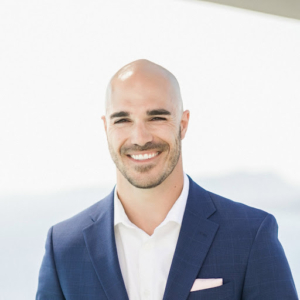
Jon Osterburg, COO, Jitasa

Since joining Jitasa in 2010, Jon Osterburg has helped hundreds of nonprofits around the world effectively manage their finances through tailored, outsourced bookkeeping and accounting services. He currently serves as Jitasa’s Chief Operating Officer, is a member of two nonprofit boards, and has earned a certificate for Executive Education from the Yale School of Management.


PARTNERS

South Barrington, IL · August 13, 2026

eShow and PAI
Announce Partnership

eShow powers the event technology. PAI powers the revenue. Together, they help associations get more from both.

eShow Profitable Association Inc.

After Years of Working Side by Side, eShow and Profitable Association, Inc. Formalize Strategic Partnership

eShow powers the event technology. PAI powers the revenue.
Together, they help associations get more from both.

SOUTH BARRINGTON, IL — August 13, 2026 — eShow and Profitable Association, Inc. (PAI) today announced a strategic partnership serving associations that run exhibit and sponsorship revenue programs.

For years, eShow and PAI have worked alongside one another in support of many shared association clients, building a track record of collaboration, referrals, and mutual success. The new agreement formalizes that relationship and creates new opportunities to deliver even greater value together.

The partnership brings together eShow’s proven event technology and PAI’s revenue expertise to create new opportunities for mutual association clients. PAI will also join the eShow Solutions Network, eShow’s group of vetted partners serving the association market.

“We have been working alongside the PAI team for years, and we have seen how professionally they operate,” said Raju Patel, Founder and CEO of eShow. “Exhibit and sponsorship revenue is crucial for association success and where there is a considerable gap for many. Making this official means clients can get the technology and the sales expertise without having to assemble it themselves.”

eShow has built its platform around association and trade show event needs and workflows since 1996, and PAI has spent 25 years inside association governance, member, sponsor, and exhibitor relationships. The partnership connects how revenue opportunities get created, sold, managed, and fulfilled, so association teams can grow those programs without building internal infrastructure to support them.

Both organizations arrived at the same conviction independently: technology and strategy are only as strong as the people behind them. Each is known for staying close to its clients, working alongside association staff rather than at arm’s length, and treating someone else’s event as something they have a stake in.

“We become an extension of our association clients—seeing their events through the eyes of their teams, members, and unique cultures,” said Patrick Wilson, President of PAI. “Years of working alongside eShow have shown us that they share our people-first approach, pairing powerful technology with responsive service. Together, we help associations achieve exceptional event experiences, growth, and greater member value.”

Both teams will be at ASAE Annual Meeting & Exposition in Indianapolis, August 15 through 18. eShow is in Booth 425 and PAI is in Booth 412. Association professionals interested in the partnership are welcome to stop by either booth.

The organizations will also collaborate on joint thought leadership beginning with a webinar for association professionals, with additional co-marketing initiatives to follow.

About eShow
eShow has been building event management technology since 1996, on a single codebase and a single database. The platform connects registration, exhibition and sponsorship management, conference and speaker management, mobile app, onsite tools, and more into one system, backed by a team that stays engaged through the entire event cycle. eShow serves associations, trade shows, and corporate events, and remains founder-led under CEO Raju Patel. Learn more at goeshow.com.

About Profitable Association, Inc.
For more than 25 years, Profitable Association, Inc. (PAI) has helped associations maximize non-dues revenue through expert exhibit, sponsorship, partnership, advertising, and media sales. Working as an extension of association staff, PAI manages the full sales lifecycle—from strategy and pricing to outreach, follow-up, and renewals—to build sustainable revenue programs, strengthen partner relationships, and drive measurable growth year after year. Learn more at profitableassociation.com.

Media Contacts:

Sarah Varner
Vice President of Marketing
sarah.varner@goeshow.com

Patrick Wilson
President
pwilson@paisales.com

Recent Blogs

eShow Introduces eShow Kinective


eShow Introduces eShow Kinective, Fueled by New RFID and NFC Solutions, Turning Attendee Behavior Into Insight Organizers Can Act On

eShow Kinective reveals what attendees actually do at an event, combined with the eShow integrated database — and meaningfully suggests what's worth acting on. Rolling out in Q4 2026.


SOUTH BARRINGTON, IL — August 7, 2026 — eShow is introducing eShow Kinective, a new analytics and insights dashboard that reveals what attendees actually do at an event, leveraging data collected by our new RFID and NFC technology launching alongside it. Together they close a long-standing gap for event organizers — the difference between knowing who registered and understanding what attendees did throughout the event.

eShow has tackled the RFID challenges of the past, solving for enablement, collection, and insights.

On enablement, the RFID/NFC chip is built directly into the badge and matched to the attendee record automatically as it prints with eShow proprietary technology — no extra step, and no slowdown at check-in, avoiding the bulky tags and association bottlenecks that have soured organizers on RFID before. With our Express Check-In or Express Entry kiosks, attendees can have their badge in hand in as little as five seconds.

On collection, eShow’s onsite RFID, NFC, and Lead Retrieval technology gathers how attendees move through the event: session attendance and dwell times, floor traffic, and booth and sponsor activation engagement.

The unparalleled insights come together in eShow Kinective, our integrated analytics and insights dashboard. Because the badge activity is collected on the same eShow platform and database as registration, sessions, exhibits, and sponsorship, Kinective has the context necessary to go deep and mine for rich insights via our rules engine and AI analysis. It reads across the full picture, flags the patterns most worth an organizer’s attention, and suggests specific actions to consider next — which sessions held the room with minimum abandonment, where the gaps are between what attendees intended and what they actually did, and what’s worth a closer look before the next event. Organizers decide based on what attendees did, not on what the statistically few who answered a survey said.

“Event data has always tended to sit still — organizers generate an enormous amount of it, yet most of that potential never goes anywhere. The industry has sold RFID for years without solving the real problem, which is turning all that data into something usable without requiring significant additional investment, data warehouses, or massive spreadsheets to cobble together reports. Kinective finally sets it in motion, built on the single-database architecture eShow has had since day one,” said Raju Patel, Founder and CEO of eShow.

RFID/NFC solutions and eShow Kinective are rolling out for Q4 2026 events. eShow will show Kinective publicly for the first time during a live session on Wednesday, August 12 at 1 PM CT, alongside Express Entry, the company’s opt-in facial credentialing solution now in production. Register here.

About eShow

eShow has been building event management technology since 1996, on a single codebase and a single database. The platform connects registration, exhibition and sponsorship management, conference and speaker management, mobile app, onsite tools, and more into one system, backed by a team that stays engaged through the entire event cycle. eShow serves associations, trade shows, and corporate events, and remains founder-led under CEO Raju Patel. Learn more at goeshow.com.

Media Contact
Sarah Varner
Vice President of Marketing
sarah.varner@goeshow.com

Recent Blogs

As organizers start exploring faster, more modern check-in options, facial credentialing is entering the conversation. But between privacy concerns, conflation with facial recognition (there’s a difference, more on that below), attendee adoption, and the practical question of whether it’s worth the investment, there’s a lot to sort through. Here are three things worth knowing. 

1. Your attendees already understand the technology. 

Consumer adoption of biometric technology is already well ahead of the events industry. Nearly 70 percent of people have used biometric authentication and consider it faster and easier than passwords. Half of all air travelers used biometric identification at an airport in 2025, up from 46 percent the year before—and 85 percent of those who used it reported high satisfaction. Of people who use facial biometrics on their devices, 68 percent use it to unlock their phone or laptop. The familiarity is there. And it’s growing

Wicket, (not the AMS company) which provides a facial authentication platform trusted by professional sports team venues across the NFL, NBA, MLB, MLS, and NHL, has surpassed one million opt-in users and processed over eight million biometric transactions. And it’s not limited to stadiums. Salesforce’s Dreamforce, a B2B conference of roughly 50,000 attendees, has seen a 60 percent enrollment rate, with 80 percent of enrolled attendees using it to check in. Facial credentialing is already working at significant scale in environments that look a lot like yours. 

2. It solves a problem you might not realize you have.

Event check-in has gotten faster over the years. Barcode scanning and self-service kiosks have shortened the process on the system side. But for events that use barcode scanning, the attendee still has to do their part before the scan can happen—setting down their bag and coffee, finding their phone, searching for the confirmation email, adjusting screen brightness and zoom so the scan works. For events using name or badge ID number lookup, the process is simpler but inherently slower. Either way, there’s friction that the current processes can’t eliminate. 

None of these preparatory steps show up on a spec sheet, but every one of them adds time and effort, both physical and mental. These small tasks stack up and can make something simple feel effortful. In that first moment of an event that should be welcoming and engaging, it can be a detractor. Your attendee won’t say check-in was frustrating, but they’ll feel the effect of those small moments of friction.

Facial credentialing removes them entirely. Enrolled attendees approach a check-in station, are authenticated in less than one second, and retrieve their badge from the adjacent printer. No phone, print out, or laborious process required. Check-in becomes something attendees simply walk through instead of think through. 

3. Trust is earned, not assumed.

The unlocking-the-phone analogy only goes so far. When attendees unlock their own device, they feel in control. When someone else’s system is authenticating them, the dynamic shifts. Earning that trust comes down to how organizers communicate and implement the technology. 

It also means understanding what this technology actually is—and what it isn’t. Facial recognition identifies unknown people. It scans a face and searches an extensive database to figure out who someone is, often without their explicit knowledge or consent.  

Facial authentication confirms a known person: someone who has deliberately opted in and chose to use the system in this way. Because it’s consent-based by design, it aligns with biometric privacy regulations such as GDPR and CCPA. One is designed to identify people who don’t know they’re being scanned. The other is designed to welcome people who chose to participate. 

The most successful deployments share a few things in common: 

Enrollment is always voluntary and removable. No attendee should ever feel pressured or expected to participate, and they can change their mind at any point. Making it opt-in isn’t just a privacy best practice. It’s what builds the trust that drives adoption in the first place. 

Transparency starts in the registration flow. When attendees understand exactly what happens with their data—that the enrollment photo isn’t what’s used to authenticate them, that the system converts it into an encrypted biometric template that can’t be reconstructed into an image of their face, and that they can request removal at any time—enrollment rates go up, not down. 

The alternatives are always available. Attendees who don’t enroll can check in the same way they always have. Barcode scanning, manual lookup—nothing changes for them. Facial credentialing adds an option. It doesn’t take one away. 

Privacy is the foundation. The right partner builds privacy into the architecture, not as an afterthought. That means no crowd surveillance and no data shared with or sold to third parties. 

So, What Now?

Facial credentialing is gaining traction in the B2B events space. The question is whether you’ll be the organizer who introduces it thoughtfully, earns trust, and delivers a check-in experience that matches the rest of what you’ve built. 

See It in Action

Curious? Come see it for yourself. eShow will be demonstrating Express Entry—our new facial credentialing option, powered by Wicket—at the ASAE Annual Meeting & Exposition in Indianapolis, August 15–18, at Booth 425. Visit our booth to do a sample enrollment, then walk up to the demo check-in kiosk, get authenticated, and see how quickly a badge is printed. 


Originally published on associationsnow.com

Summer is a strange season for event professionals. Some of you are heads-down on a Q3 or Q4 event and the pressure is real. Others have already turned the page to 2027, mapping out next year’s calendar, budget, and RFPs. Many of you are doing both at once.

Here are five shifts worth considering — some in time to influence a fall event, some worth folding into your 2027 planning. Either way, the choices you make in July and August tend to shape how the next stretch runs.

1. Reassess the check-in experience

Check-in is the first thing every attendee, exhibitor, and speaker experiences at your event. It’s also one of the shortest windows to influence how the rest of the day feels for them. A long line or a slow lookup at 7:30 a.m. affects sessions, exhibitor traffic, and staff bandwidth for hours afterward.

Registration and badging technology has moved quickly in the last 12 months. On-demand badge printing and self-service kiosks are increasingly standard. Opt-in facial credentialing is now a real option — eShow launched Express Entry earlier this year, giving attendees who choose to enroll a fast-track check-in path alongside every traditional method.

Worth asking now: what does check-in actually look like on day one of your next event, and what would you change if you could?

2. Look at what your event data is really doing for you

Event organizers collect a lot of data — registration numbers, session interest, exhibitor activity — and use only a fraction of it to inform the next event. Too often it sits in reports nobody opens after the debrief.

Two questions worth asking, whether you’re heading into a fall event or scoping 2027:

Are you pulling registration insights during the cycle, or only after? Real-time visibility into pacing, source, and segment tells you what your marketing is doing while there’s still time to act on it.

And what happens once attendees are onsite? Registration tells you who showed up. Movement and behavior data — sessions attended, booths visited, dwell times — tells you what they actually did. That layer is where a lot of the interesting decisions live for 2027 planning. It’s also where eShow’s new take on RFID badges is focused, with an attendee behavior dashboard deploying in Q4 this year.

3. Plan for the reality of late registration

Late registration has become the norm rather than the exception. Most event organizers can confirm it from their own recent numbers — a growing share of attendees now register in the final days and weeks before an event, often in the same window when operational plans are locked, F&B counts are in, and printed materials are ordered.

That’s not solvable by pushing harder on early-bird promotions. It’s a planning problem now — for a fall event, and even more so for how you scope registration timelines, cutoff policies, and onsite processes for next year.

A few things worth pressure-testing: How late can you accept registrations without cascading effects across sessions, catering, and badging? How quickly can your team turn around a late-add — a new registrant on Tuesday for a Wednesday event? And what’s your process for the registrant who shows up onsite having never registered at all?

The organizers who handle late registration well aren’t the ones with the tightest cutoff. They’re the ones whose systems and processes flex without breaking downstream.

4. Give exhibitors better tools before the show, not during it

Exhibitor satisfaction comes down to lead capture and follow-up. Exhibitors who feel their leads were poorly captured — or their post-show reports were incomplete — remember it when they’re deciding whether to book next year.

Two things worth doing between now and your next show: talk to three or four of your best exhibitors about what they wished had gone differently at the last event, and audit whether your lead retrieval tools give them what they actually need. Rating, notes, exports — the basics matter more than the extras.

5. Understand what's shifting in badge technology

Badges themselves are having a moment. On-demand printing solved one problem. What’s next is what a badge can actually do once it’s printed — RFID and NFC chips turn a badge into an active data source, capable of tracking movement and engagement across the show floor without asking attendees to scan anything.

eShow has an RFID/NFC badge rolling out in Q4 2026, paired with an attendee behavior dashboard that layers movement data with registration data — so organizers can see attendee activity alongside the person behind it. If you’re building your 2027 technology plan now, this is worth understanding before your RFP goes out.

Where to go next

If you want a closer look at what’s new and what’s coming — Express Entry, RFID/NFC badging, and the attendee analytics dashboard — we’re hosting a webinar on August 12 called What’s New at eShow: Facial Credentialing, RFID, and Attendee Insights You Can Put to Work.

If you’re evaluating your event technology setup more broadly, we’ve been building event technology since 1996 — we’re happy to walk you through what an integrated platform looks like.

eShow and Wicket Announce Partnership

eShow Introduces Express Entry, a New Facial Credentialing Experience for Event Check-In

Integration brings opt-in facial authentication to eShow's onsite check-in, delivering a faster, frictionless alternative to traditional check-in

South Barrington, IL — March 18, 2026eShow, a leading provider of event management solutions for associations and independent show organizers, and Wicket, the leading facial authentication platform provider for live events, today announced a strategic partnership that introduces eShow Express Entry—an opt-in facial credentialing experience that streamlines event check-in.

Express Entry gives attendees who choose to participate a faster alternative to traditional check-in. During advance registration, attendees are offered the option to enroll. At the event, enrolled attendees simply approach a check-in station, are authenticated in less than a second, and retrieve their badge from the adjacent printer.

eShow’s existing Express Check-In system already credentials attendees in approximately eight seconds—a record-breaking pace in the events industry. Express Entry builds on that foundation, giving organizers an even faster check-in option for their events.

“For 30 years, eShow has focused on elevating the attendee experience—and check-in is often the first impression attendees have onsite. eShow Express Entry gives events a faster check-in option while staying true to attendee choice and trust. Partnering with Wicket helps our customers deliver that smoother arrival experience to their attendees,” said Raju Patel, Founder and CEO of eShow.

“Wicket is focused on enabling sensational event experiences,” said Glenn Borgmann, head of partnerships at Wicket. “Partnering with a leading event management platform like eShow allows event managers to streamline event check-in so attendees can spend less time in line and more time enjoying the event.”

Participation is entirely voluntary, and traditional check-in options like barcode scanning and manual lookup remain available at all times. Wicket’s technology generates and uses encrypted biometric templates for authentication—mathematical representations of facial features, not images. No biometric data is ever processed without explicit consent, and data is never shared with or sold to third parties.

Express Entry reduces staffing pressure at check-in, keeps lines moving during peak arrival periods, and transforms check-in into a welcoming moment for attendees.

eShow Express Entry is expected to make its live debut at an event later this spring, with additional rollouts planned throughout 2026.

Learn more about Express Entry →

About eShow

Founded in 1996, eShow provides powerful, customizable web-based solutions for event organizers, including registration management, conference management, exhibit management, mobile apps, lead retrieval, and onsite services. With a global clientele of over 1,900 organizations and seamless experiences delivered for more than 6,000,000 attendees worldwide, eShow has spent 30 years helping event professionals streamline operations and elevate the attendee experience. Learn more at goeshow.com.

About Wicket

Wicket (www.wicketsoft.com) is a computer vision technology company headquartered in Doylestown, PA. Wicket develops and delivers software products that enable a sensational event experience for some of the largest sports and credentialed venues. With a portfolio of issued and pending patents, Wicket’s Facial Authentication platform includes products for facial ticketing, credentialing, access control, and payments.

Media Inquiries:

eShow
Sarah Varner
VP of Marketing
sarah.varner@goeshow.com

Wicket
press@wicketsoft.com

Recent Blogs

eShow and NoteAffect Announce
New Strategic Partnership

eShow and NoteAffect Empower Events
to Use Education as a Strategy

January 8, 2026, South Barrington, IL – eShow, a leading provider of event management solutions, and NoteAffect, an interactive learning experience for education and events, today announced a strategic partnership to empower events to use their education as a strategy that delivers real measurable engagement.

“With eShow and NoteAffect, event education is no longer a checkbox, it’s a strategy. Even in a world of economic and geopolitical uncertainty, education is a variable that events can actually control and use to their advantage as a top reason to attend, extend their reach, and generate new revenue.” said Jay Tokosch, CEO and Founder of NoteAffect.

The partnership empowers event organizers with tools to streamline the planning and execution of their conference along with leveraging their education content and attendee learning experience to create and measure real engagement for program success.

“eShow makes it easy for organizers to manage their entire event in one place where the data and attendee experience pairs seamlessly with NoteAffect through the eShow event app to maximize engagement before, during, and after the event.” said Raju Patel, CEO and Founder of eShow.

eShow offers a full suite of event technology solutions that cover the entire event lifecycle, including registration management, trade show and exhibition tools, mobile apps, conference management, and more. eShow’s platform allows for better management of logistics, attendee tracking, and engagement.

NoteAffect software simultaneously records and broadcasts live session content directly through the eShow event app for in-person attendees to take notes, follow along with multilingual live captioning, and ask questions. The recorded visuals+audio then sync into segmented chapters with AI summaries that attendees will actually watch.

Organizers using eShow and NoteAffect can now create and measure tangible engagement so they know exactly what content to program, repurpose, promote, and monetize that anchors attendance, extends their reach, and generates new revenue. eShow’s conference management tools centralize speaker coordination, session scheduling, and venue logistics into one integrated platform, automating workflows and freeing meeting planners to focus on delivering exceptional attendee experiences. Current clients of either company are encouraged to reach out to their account representative to learn more about how they can leverage this powerful partnership.

About eShow
Founded in 1996, eShow provides powerful solutions for event organizers, including registration, mobile apps, conference management, exhibit management, and more. For 30 years, eShow has helped thousands of clients streamline their event processes and deliver exceptional experiences. Learn more at goeshow.com.

About NoteAffect
NoteAffect interactive learning and recording tools turn your event education content and attendee learning experience into measurable engagement that anchors attendance, extends your reach, and generates new revenue. Learn more at www.noteaffect.com/event-engage


You’ve probably been there: tracking down a speaker’s headshot the night before the event, or firing off last-minute emails about slide formats. A great lineup is only as good as the communication behind it.

Good speaker management takes more than a checklist. It’s staying organized without losing the small moments — a personal note, a thoughtful nudge — that make speakers feel welcome.

Key Highlights:

  • Set clear expectations early with centralized deadlines and resources
  • Personalize communication to build stronger speaker engagement
  • Use a single speaker portal to cut down on last-minute scrambling
  • Balance automation with a human touch to stay efficient and authentic
  • Follow up post-event to strengthen long-term speaker relationships

1. Set Expectations Early

Imagine being a speaker juggling three upcoming events. You’re grateful when one organizer sends you a welcome packet that clearly spells out key dates, formats, and submission deadlines, so you don’t have to dig through scattered emails to find what you need.

That’s the experience to aim for. From the start, give speakers a clear roadmap. Tools like eShow’s Conference Management software give speakers one place to find deadlines and forms — no inbox searches, no missing attachments.

2. Personalize, Don’t Mass-Produce

Automated emails can still be personalized, and your speakers will notice. Mention their specific topic. Refer to how their session fits into the theme. Small touches like these set a collaborative tone and encourage prompt responses. They also lower the chances of missed details, because a speaker who feels like they’re being talked to directly reads more carefully than one who feels like they’re on a list.

Use tools to handle reminders automatically, but don’t skip the quick note that says “Looking forward to your session.” That’s what makes the connection real.

3. Keep Everything in One Place

Give speakers a portal where they can update their profile, upload materials, view deadlines, and track what’s outstanding. With eShow’s speaker and session management tools, everything’s in one spot, so nobody’s digging through their inbox at midnight for a missing bio.

It’s the difference between last-minute scrambling and walking into event day ready.

4. Be Mindful of the Speaker’s Experience

Your speakers are investing their time and expertise. The easier you make their part of the process, the more likely they’ll deliver a strong session — and want to work with you again.

A few small touchpoints that go a long way:

  • A speaker checklist with descriptions, direct links to tasks, and deadline dates, with the option to check off each item as it’s done
  • Optional tech checks or AV dry runs, especially for virtual or hybrid sessions
  • Audience insights (expected size, industry focus) so speakers can tailor their content

These aren’t logistics for their own sake. They’re the signals that tell a speaker you’re thinking about their success, not just yours.

5. Automate, But Stay Human

Automation is part of speaker management at any reasonable scale. But it shouldn’t be the whole tone of your communication. A well-timed automated reminder keeps things moving; a string of them with no human voice in between starts to feel like paperwork.

eShow’s Conference Management software lets you:

  • Send reminders for bios, headshots, or slides
  • Share links to speaker portals
  • Keep an audit trail of what’s been sent, with the ability to resend

The automation handles the “did they get it” question. Your voice handles the “do they feel respected” question. You need both.

6. Communicate Post-Event

It’s easy to let speaker communication taper off once the event ends. Worth resisting. A short follow-up can include:

  • A thank-you
  • Audience feedback or engagement stats
  • A note on whether recordings will be distributed, and when

These are small gestures that make a real difference the next time you’re putting together a lineup and hoping someone says yes.

Why Speaker Communication Matters

Good speaker management isn’t just about being organized. It’s about helping someone step on stage feeling prepared and valued. When they do, the audience feels it, and so does the rest of your program.

From First Email to Follow-Up

When speakers feel supported, they show up ready. Clear expectations, a few personal touches, and tools that keep everything in one place go a long way toward making that the norm rather than the exception.

Want to take a closer look at how eShow supports speaker and session management? See how it fits into Conference Management.

You’re standing in your 2026 budget meeting, explaining how digital check-ins could cut those 30-minute lines at the entrance. A colleague interrupts: ‘What if people don’t want to use it?’ Another chimes in: ‘And how much is this going to cost us, really?’

You might have the slickest tech plan in hand, but if you don’t show you’ve really heard your team’s worries or explain it in terms that matter to them, it’s tough to get them on board. Let’s break down how to make your case for a 2026 event tech transformation and how eShow’s suite of solutions can help you deliver.

Start with the Why: Make It About People, Not Just Platforms

When you’re asking your team to try something new, rattling off tech features won’t win. What people want to hear is how it’ll make their lives easier, whether they’re managing the event or attending it. For example:

  • Faster check-ins, fewer lines: No one loves waiting. A streamlined digital registration system (like eShow’s Registration Management) means attendees move from entrance to engaged in minutes.
  • Personalized journeys: Imagine attendees getting real-time recommendations for sessions or exhibitors based on their interests, thanks to integrated data and agenda tools.
    Less chaos for staff: Digital solutions reduce the stress of juggling spreadsheets, badges, and paper forms.
  • Smarter workflows, more impact: Streamlining processes means your team can do more with fewer resources. Digital tools help save time, reduce costs, and free up staff to focus on creating meaningful experiences and not just chasing paperwork.

When your colleagues see how these changes directly address common pain points, they’ll be more open to exploring solutions.

Bring Data, Not Just Ideas

You might be picturing interactive floor plans and instant surveys, but your CFO’s thinking: ‘Show me where this saves us time or makes money.’ That’s when data and real-world examples help your case.

And don’t forget internal metrics. If past events had check-in bottlenecks, data gaps, or poor post-event engagement, share that. Help stakeholders see that sticking to old methods comes with hidden costs.

Acknowledge Risks, Offer Solutions

Resistance often stems from fear: of cost overruns, tech failures, or a painful learning curve. Rather than dismiss these concerns, acknowledge them and show how you’ve thought them through. When you show in the room that you’ve anticipated the bumps, maybe even pulling up a plan B slide, that’s when heads start nodding. Consider covering solutions like:

  • Cost efficiency: Digital platforms like eShow’s customizable solution cut down on the hassle of juggling five different vendors (registration, exhibits, mobile app, conference management) and bring it together in one place.
  • Ease of adoption: Platforms that offer modular, integrated tools mean teams can phase in digital elements gradually.
  • Support and training: Point out that partners like eShow provide training, technical support, and dedicated account managers to guide implementations.
  • Extension of your team: eShow provides expert on-site support, training for temporary or volunteer staff, and top-tier customer service through our call center and data teams — helping with reconciliations, refunds, and attendee troubleshooting so your event runs smoothly and your team has time to focus on other aspects of the event.

Share a Vision of Integration, Not Just Tools

Imagine your marketing team watching leads flow directly into their CRM, or your event staff seeing real-time attendee counts on their dashboard without chasing down paper lists. It all clicks together into one seamless system. 

For instance, describe a future event where:

  • Registration data flows directly into lead retrieval tools, so exhibitors can follow up faster.
  • A single dashboard shows real-time attendance, session engagement, and sponsor activations.
  • Both in-person and virtual attendees feel part of the same experience, supported by hybrid tools.

eShow’s platform is built for this kind of end-to-end integration. No more chasing down spreadsheets or tracking badges by hand. The pieces just connect and your team breathes easier.

Build Allies Early

Getting organizational buy-in isn’t a solo act. Identify champions across departments who will benefit from the transformation. For example:

  • Sales teams may love richer lead data from digital badge scans.
  • Marketing teams can use session analytics to shape content strategy.
  • Finance teams may appreciate cleaner reconciliation from integrated registration and payment systems.

Involve these stakeholders early, gather their input, and invite them to help shape the proposal. When marketing and sales both say ‘we need this,’ the room stops pushing back.

Pilot Before You Pitch Big

If leadership is wary of a full digital overhaul, suggest a pilot program. That first win could be using eShow’s Registration Management tool at a small expo to show how technology can help events run more efficiently. This not only builds confidence but it also gives you data to leverage when making a case for more tech investment. Suddenly, leadership’s not so wary of the bigger leap. 

Frame Your 2026 Event Tech Transformation as an Ongoing Journey

Digital transformation isn’t a one-and-done task. Make clear that your vision is about continuous improvement, with each event building on the last. Highlight how solutions like eShow’s evolve with your needs whether that’s adding an event website, new gamification features, or advanced analytics.

That narrative shifts the conversation from “one big risk” to “a thoughtful, step-by-step strategy.”

It’s About More Than Tech

It’s not the event website or app they’ll remember. It’s that moment when an attendee says, ‘Wow, I didn’t expect that to go so smoothly,’ as they breeze past the check-in line. That’s what gets people on board.With tools that fit the way your team works, you can spend less time putting out fires in 2026 and more time creating moments that people talk about long after the doors close. From registration to conference management to mobile engagement, eShow’s modular event management solutions give your organization the confidence to take that next step with confidence.